- This topic is empty.
-
AuthorPosts
-
2026-11-10 at 9:25 am #11138
The first fifty routers in a project can be managed by hand. An engineer logs in to each web page, checks the settings, and updates the firmware one unit at a time. By five hundred routers, that approach has quietly stopped working. Configurations drift, firmware versions multiply, and nobody can say with confidence which sites are online right now. At five thousand routers, a remote management platform is not a convenience; it is the only way the network can be run.
That is why buyers increasingly look for an industrial router manufacturer with its own remote management platform, rather than one that only ships hardware. This article explains what such a platform should do, how E-Lins NMS covers those functions, and how it works alongside the standard protocols many operations teams already rely on.
What a Remote Management Platform Has to Do
See every router
The basic job is visibility: which routers are online, which are offline, how strong the cellular signal is, and when each unit last reported. Without this, faults are discovered by customers rather than by the operations team.
Change settings without travelling
Configuration changes, from a new VPN endpoint to a different APN, must be applied remotely, ideally to many units at once.
Keep firmware current
Security fixes and improvements are only useful if they reach the routers already installed. A platform must be able to push firmware remotely and show which version each router runs.
Produce useful statistics
Data usage, uptime, and connection history help explain problems and plan capacity and data plans.
What E-Lins NMS Provides
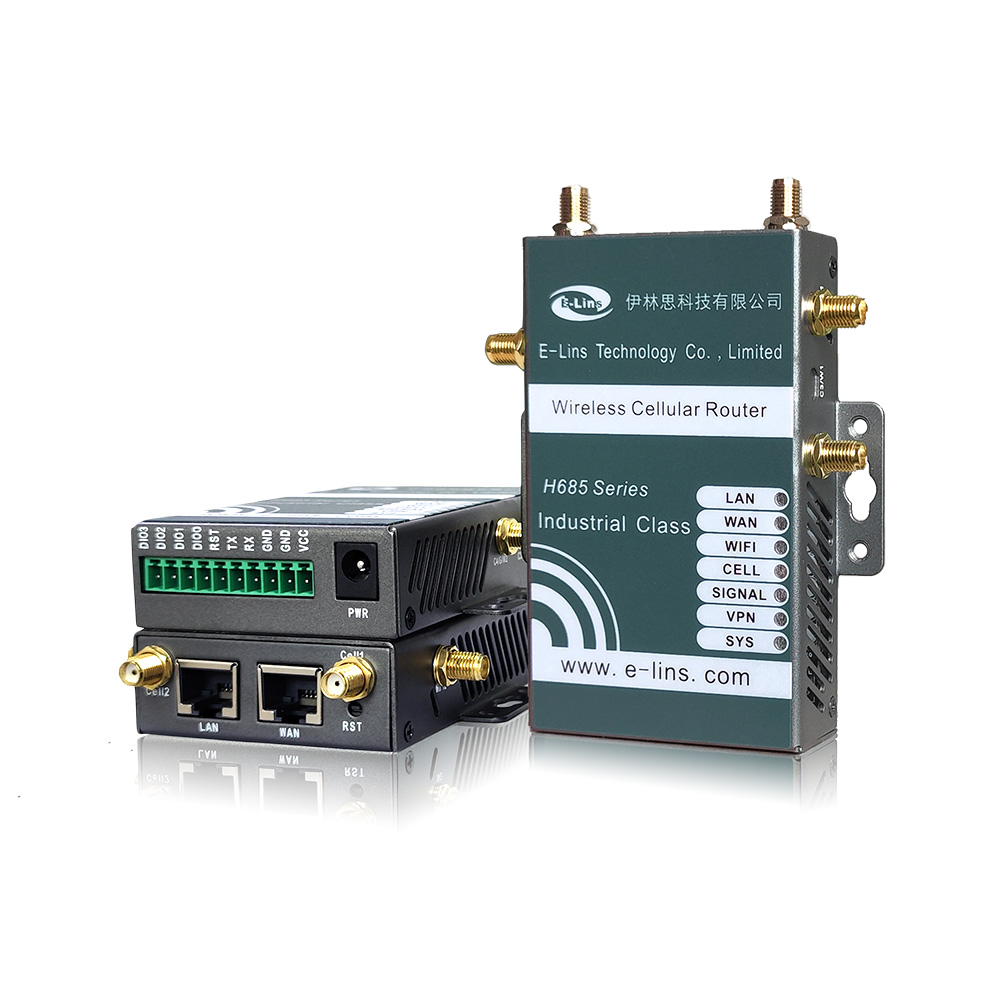
E-Lins describes its NMS as a cloud network management system for all of its M2M and IoT routers, and states that all E-Lins industrial routers can work with it. Its main functions are:
Device status monitoring, so operators can see the state of each router from one screen.
Parameter management, so settings can be viewed and changed remotely.
Remote firmware upgrade, so updates reach installed routers without site visits.
Statistics, for usage and connection information.
Web-based management, accessed through a browser.
E-Lins also lists server requirements for installing the NMS on Windows or Linux, which is relevant for organisations that want to host management systems themselves. Buyers should confirm the deployment option that suits their IT policy.
Working Alongside Standard Protocols
Many organisations already run monitoring and provisioning systems, and do not want a separate tool for every vendor. E-Lins routers therefore support standard management protocols alongside the NMS:
TR-069, the protocol widely used by operators and service providers to provision and manage customer equipment from an auto-configuration server.
SNMP, used by network monitoring systems to collect status and receive alerts.
SSH, for secure command-line access by engineers.
On many models, the web interface, Telnet, and SMS are also available. This combination means a team can use the E-Lins NMS for day-to-day fleet operations, feed router status into an existing monitoring system through SNMP, and let a service provider’s auto-configuration server handle provisioning through TR-069.
Typical Workflows
Rolling out a new site
A router is installed with an agreed default configuration. Once it connects, the operations team uses the management platform to confirm it is online, check its status, and record which customer or region it belongs to.
Changing a setting across a region
When a central VPN endpoint changes, the new parameter is applied remotely through parameter management instead of sending engineers to each site, and router status is checked afterwards to confirm each unit is back online.
Updating firmware safely
A new firmware version is first pushed to a small pilot group. After a stable period, it is rolled out to the remaining routers. E-Lins provides lifetime free firmware upgrades, so this cycle can continue throughout the fleet’s life.
Investigating a fault
When a site goes offline, status information and statistics help narrow down whether the problem lies with signal, power, or the device. Combined with E-Lins’s 7×24 remote support, which includes packet capture analysis and remote debugging, most problems can be diagnosed without a site visit.
Using Platform Data for Planning
A management platform is not only for firefighting. Statistics collected over months show which sites use the most data, which connections drop most often, and where signal is consistently weak. That information helps right-size data plans, decide where an external antenna or a second SIM would pay off, and plan firmware rollouts around the sites that matter most. Over time, the platform becomes the place where the network’s weak spots are found before customers notice them.
Why the Manufacturer Matters as Much as the Platform
A management platform is only as good as the routers reporting to it. E-Lins develops its router system software entirely in-house, which means the firmware, the management interfaces, and the platform are designed by the same company. Its routers include hardware watchdog timers and link self-healing mechanisms, so many faults are resolved before an operator even sees them.
The company reports that its modular interfaces and remote management capabilities improve integration efficiency by 50% and reduce on-site maintenance costs by 40%. Field results reflect the value of remote management: a leading Indian telecom operator improved batch management efficiency by 82% across 100,000 E-Lins units; a European ground support equipment manufacturer now handles 85% of faults remotely; and a Nordic public transport provider handles 90% remotely.
Questions to Ask Any Manufacturer About Its Platform
Which of your routers work with the platform, and does that include older and newer models?
Can firmware be updated remotely and in stages?
Which standard protocols are supported for integration with our own tools?
Can the platform be hosted in our own environment if our IT policy requires it?
How does support use the platform when we report a fault?
The Manufacturer
Shenzhen E-Lins Technology Co., Ltd. has built industrial wireless communication equipment since its industrial roots in 1999 and supplies 4G, 5G RedCap and 5G routers, modems and gateways to customers in more than 150 countries and regions. Its hardware is rated from -35°C to +75°C, with 15KV ESD protection and 1.5KV electromagnetic isolation, and its products carry CE, FCC, and UKCA certification. For buyers looking for an industrial router manufacturer with a remote management platform, E-Lins combines its own NMS with support for standard protocols that let routers fit into the tools you already use.
https://e-lins.com/
Shenzhen E-Lins Technology Co., Ltd. -
AuthorPosts

- You must be logged in to reply to this topic.